
Drill Driver vs Impact Driver: The Short Answer
If you only remember one sentence, make it this one: a drill driver spins steadily and is built for drilling holes and precise screw work, while an impact driver adds rotational hammer blows to deliver far more turning force for driving long screws and bolts. They look like twins in the same battery family, but they solve different problems, and using the wrong one is the single most common reason a beginner ends up with stripped screw heads, snapped bits, and split boards.
The confusion is understandable. Both are pistol-grip cordless tools, both "drive screws," and they are usually sold together in a two-tool combo kit. But the mechanical difference between them changes everything about how they feel in your hand and what they should touch.
This guide is research-based. We did not bench-test these tools ourselves; instead we synthesized manufacturer specifications and reputable third-party tool editorial (Pro Tool Reviews, The Home Depot's tool guides, This Old House) so the numbers and recommendations here are grounded rather than guessed. Where a figure matters, it is linked to its source. Our goal is to answer the exact questions buyers ask before they spend money, in plain English, and then point you to the right tool for your projects.
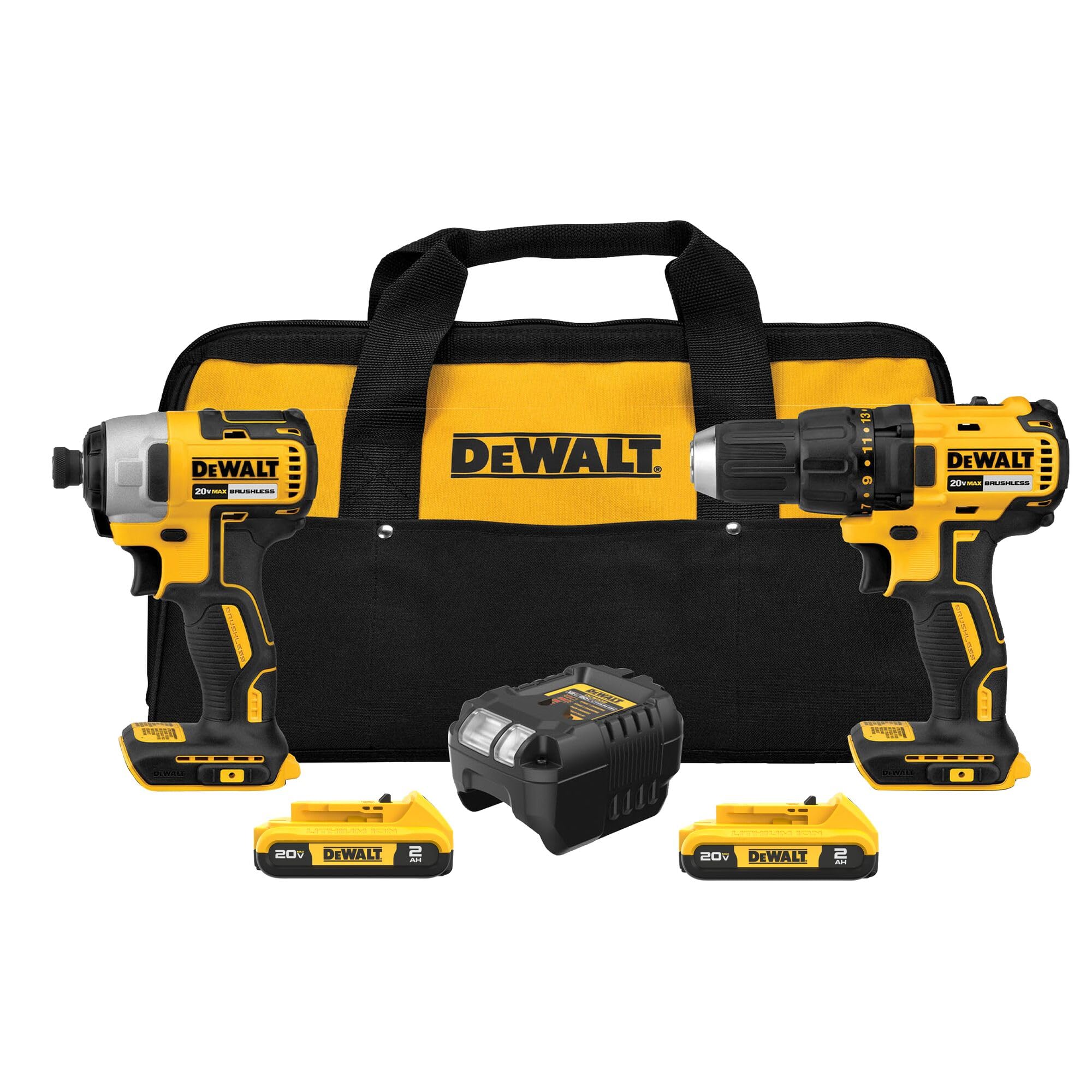
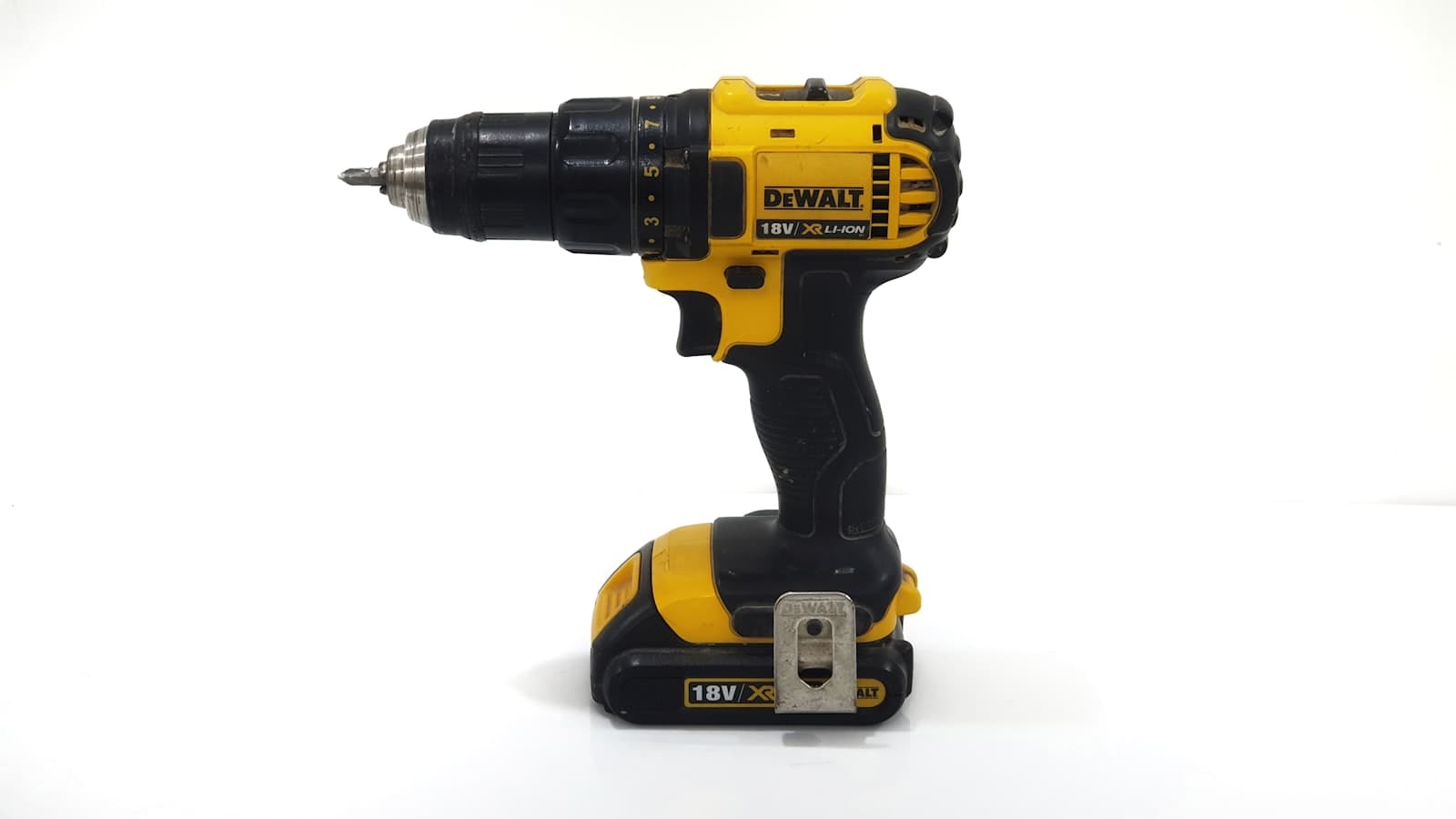
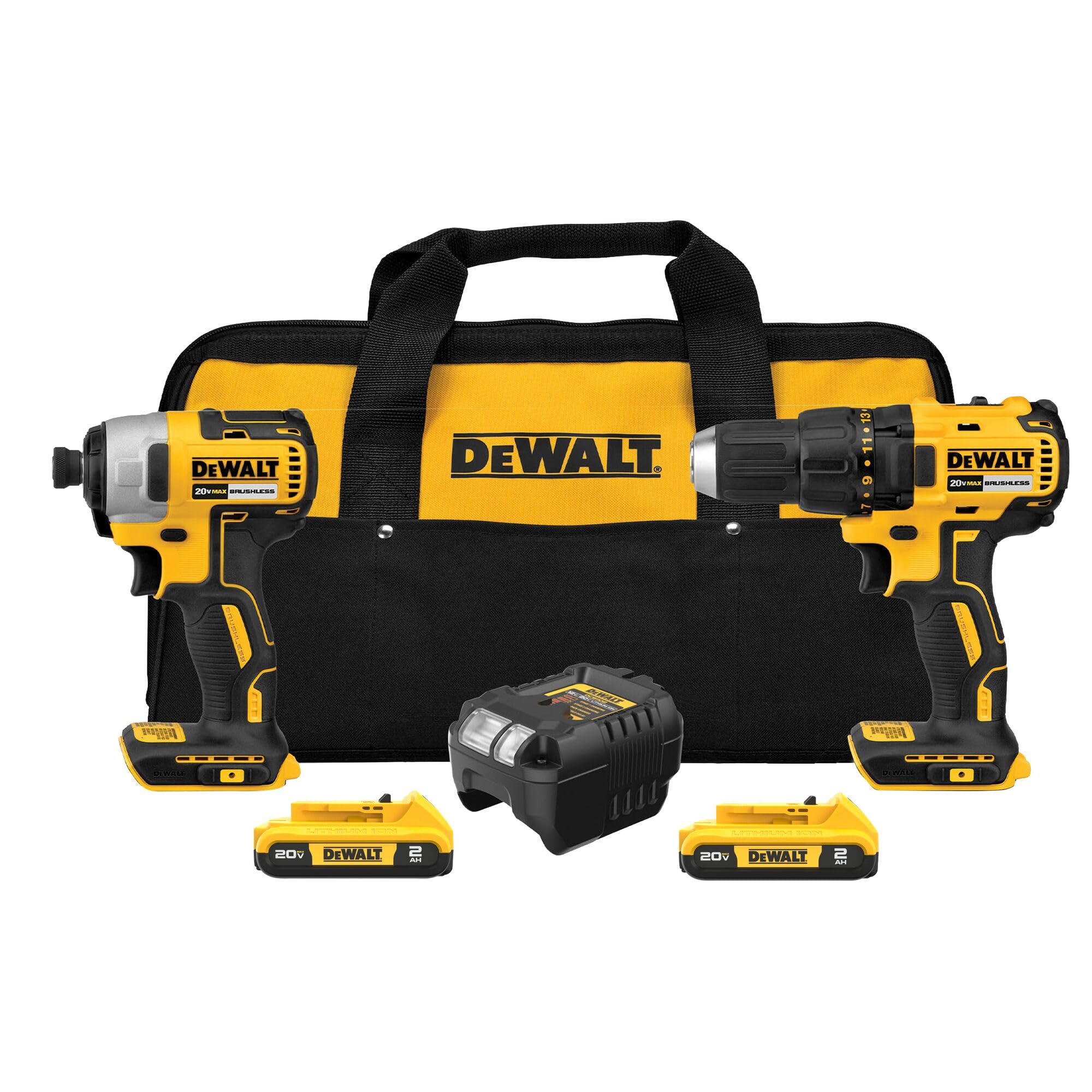
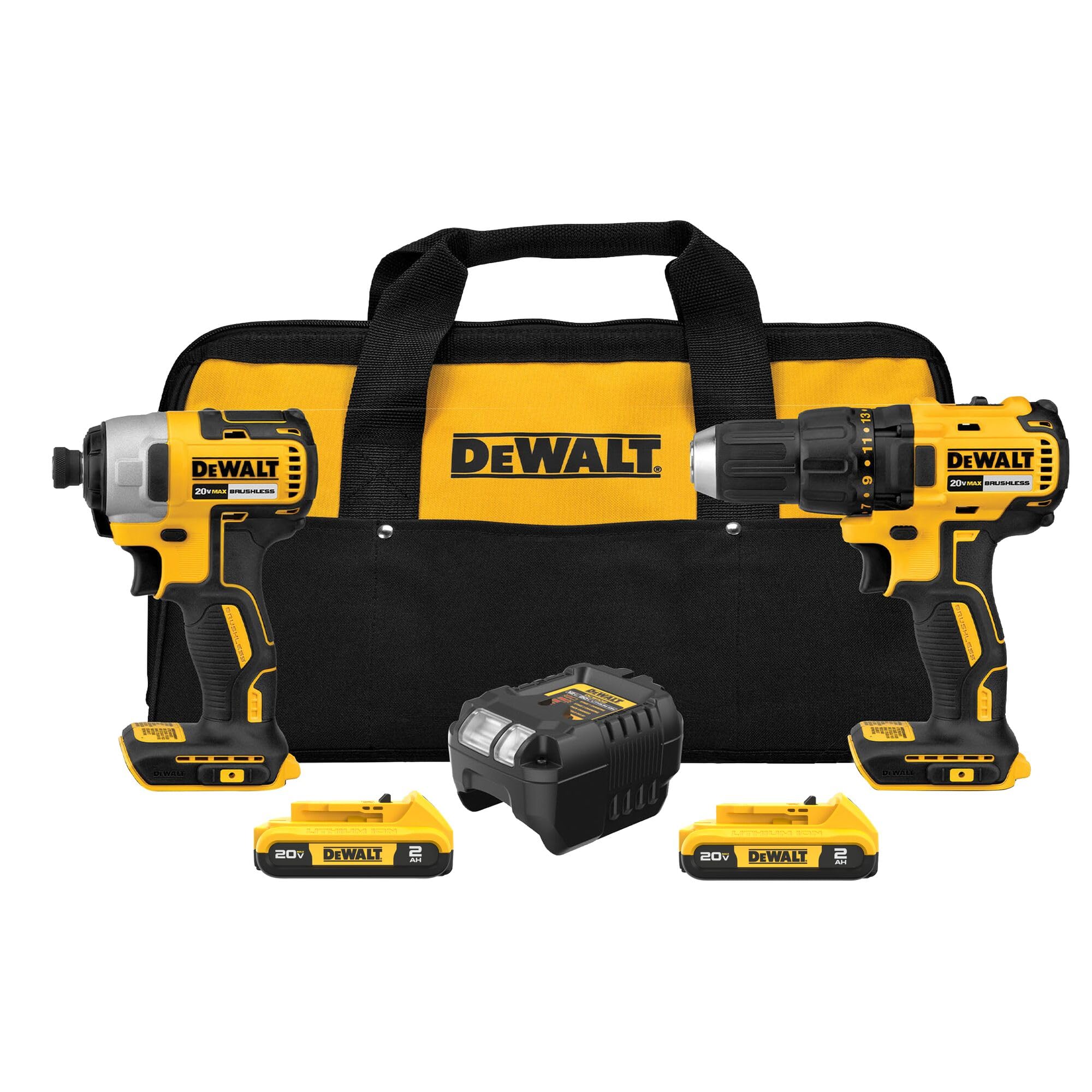
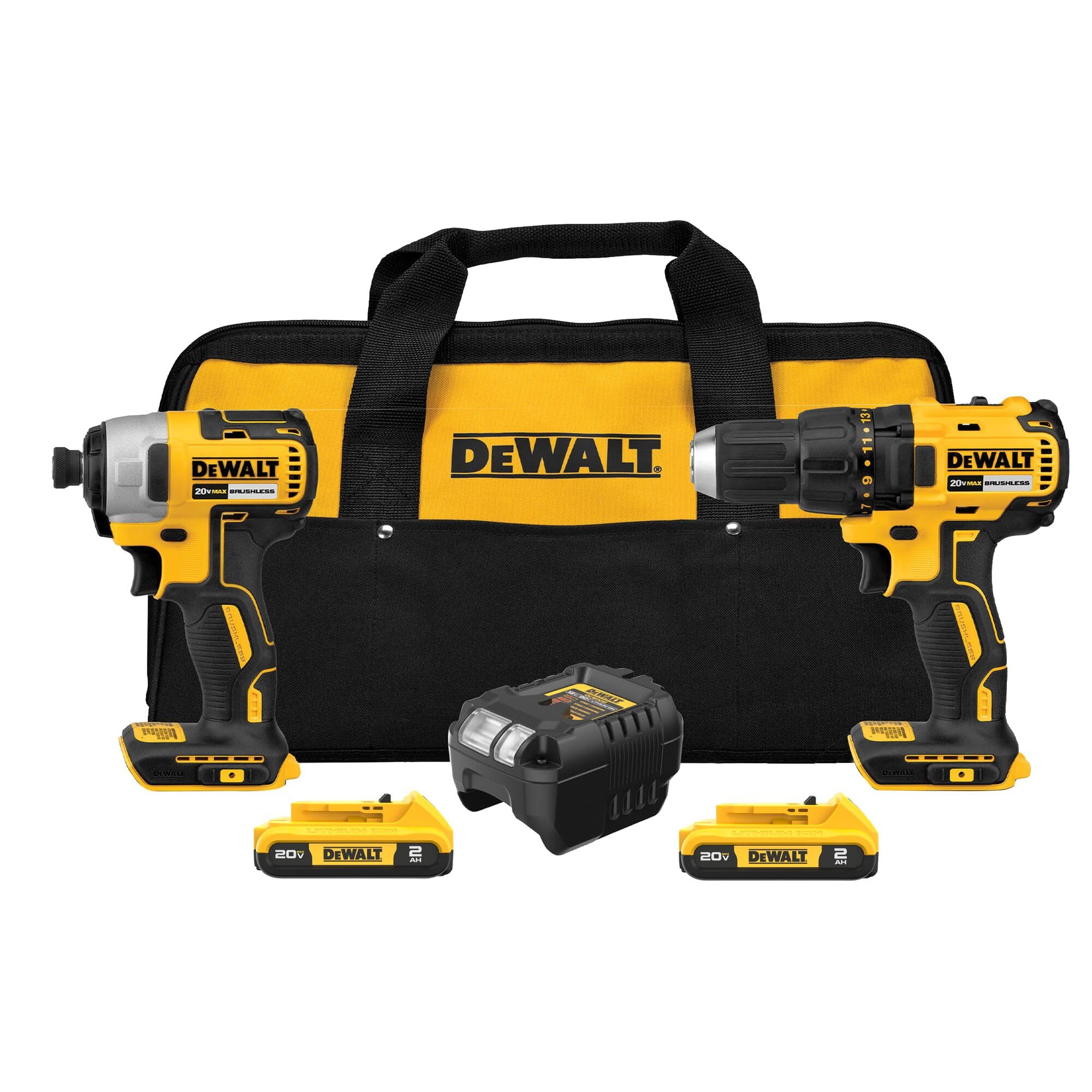
A drill driver (left) is longer with a keyed chuck collar; an impact driver (right) is stubbier with a hex collet.
If you want the full shopping comparison after this, our best cordless drills and driver kits for 2026 ranks the specific models that show up throughout this article.
What Is the Difference Between a Drill Driver and an Impact Driver?
This is the headline question, so let's settle it properly. The difference is not the battery, the brand, or even the size. It is how each tool produces turning force (torque).
How a drill driver works
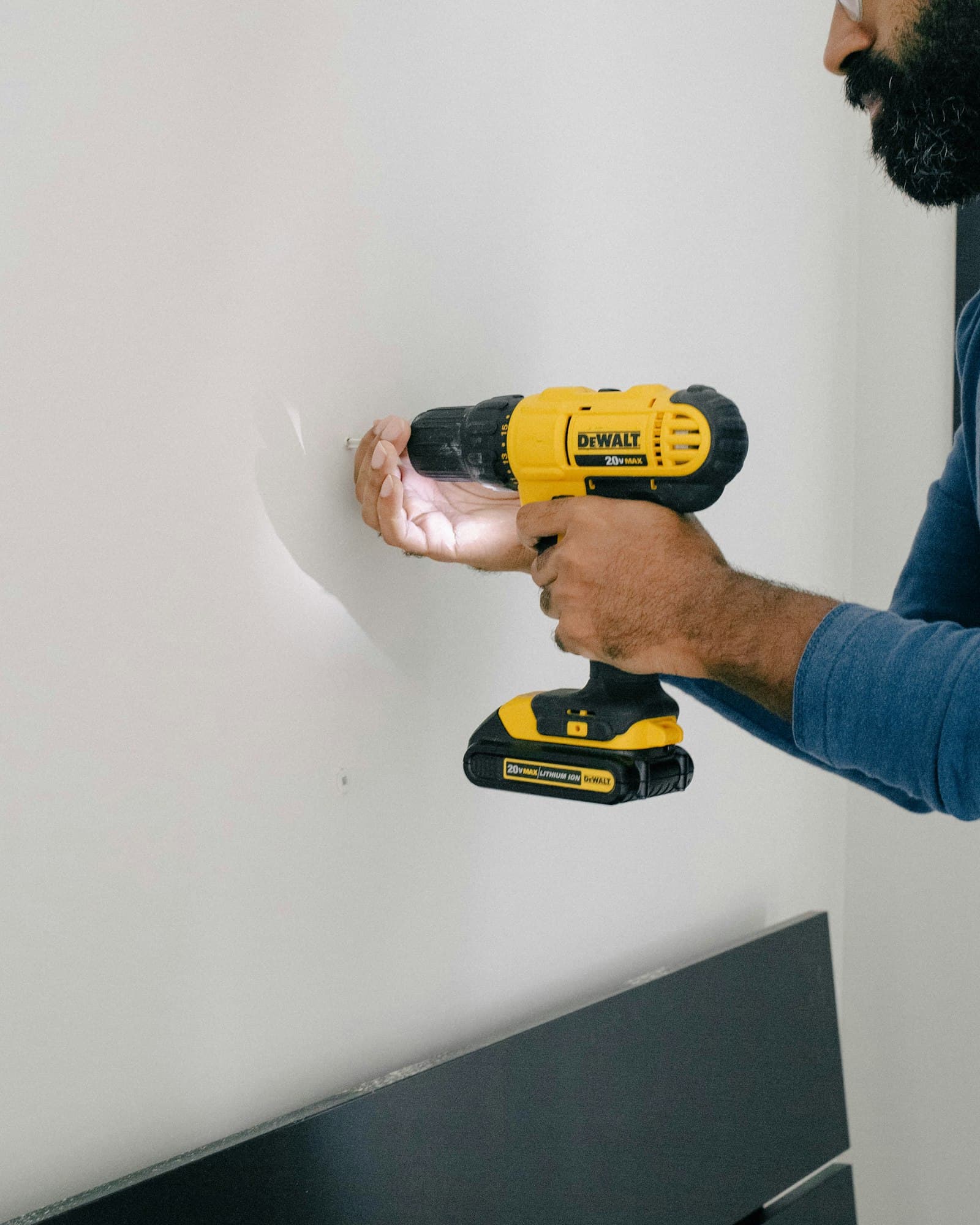
A drill driver uses an electric motor, a gearbox, and an adjustable clutch to deliver smooth, continuous rotation to a chuck. The chuck — that adjustable collar at the front — grips a round or hex bit shank and spins it at a constant speed you control with the trigger.
The clutch is the part that makes a drill driver feel "smart." It has numbered settings, and when the screw meets a preset amount of resistance, the clutch slips so the chuck stops turning. As Pro Tool Reviews explains, the clutch causes "the chuck to slip when it reaches a preset amount of torque, so you don't overdrive screws," which is exactly why a drill driver is the tool of choice when you care about depth and finish (Pro Tool Reviews).
Most compact drill drivers use a keyless chuck in 3/8-inch or 1/2-inch sizes, so they accept almost any bit: round-shank twist bits, spade bits, hole saws, Forstner bits, and standard hex driver bits alike.
How an impact driver works
An impact driver starts the same way — a motor spins the output — but it adds a hammer-and-anvil mechanism. When the screw gets hard to turn, an internal spring-loaded hammer disengages, accelerates, and slams into an anvil connected to the output shaft. That collision delivers a burst of rotational force far beyond what the motor alone could produce. These bursts happen astonishingly fast: an impact driver can strike "as many as 60 times per second," roughly 3,600 impacts per minute (Pro Tool Reviews).
The hammer-and-anvil mechanism delivers rapid rotational impacts, multiplying turning force when resistance climbs.
The brilliance of this design is that the extra force is generated inside the tool, not against your wrist. A drill driver fights back when a bit binds, twisting hard against your forearm; an impact driver absorbs that reaction internally, so you feel surprisingly little kickback even when it is putting out big torque.
The numbers that show the gap
Specifications make the difference concrete. Comparing Milwaukee's flagship M18 Fuel pair, the impact driver puts out roughly 2,000 in-lbs of torque versus about 1,400 in-lbs for the drill driver (Pro Tool Reviews). The same impact driver is also dramatically more compact: about 4.5 inches long at 2.2 pounds bare, against 6.9 inches and 3.3 pounds for the drill. That stubby nose is a real advantage in cabinets, joist bays, and other tight spots.
So when people ask "Milwaukee drill driver vs impact driver," they are really asking about that same trade-off every brand shares: the impact driver wins on raw fastening force and access, the drill driver wins on control and versatility.
The chuck difference is a buying decision
Here is a practical catch that surprises new owners. An impact driver does not have an adjustable chuck. It uses a 1/4-inch quick-release hex collet, so it only accepts bits with a 1/4-inch hex shank. A drill driver's keyless chuck accepts both round and hex shanks (Pro Tool Reviews). That means your round-shank twist drills, spade bits, and hole saws fit the drill driver but not a bare impact driver. You can buy hex-shank drill bits for an impact driver, but bit selection is narrower and, as we'll see, accuracy suffers.
| Drill driver | Impact driver
Force delivery | Smooth, continuous rotation | Rotational hammer impacts
Bit holder | Keyless chuck (3/8" or 1/2") | 1/4" quick-release hex collet
Torque control | Adjustable numbered clutch | No clutch (trigger only)
Best at | Drilling holes, precise screws | Driving long screws, bolts, lags
Kickback | Higher — twists your wrist | Low — absorbed internally
Size/weight | Longer, heavier | Shorter, lighter
Can I Use an Impact Driver as a Drill?
Short answer: sometimes, but it's a compromise, and for many jobs it's the wrong call.
You can chuck a hex-shank drill bit into an impact driver and bore a hole. For driving big fasteners and rough framing, plenty of pros work all day with nothing but an impact driver in hand. But the moment precision matters, the impact driver's nature works against you.
The impacting action makes accurate, clean holes hard to achieve. As one tool editorial puts it, impact drivers "are not good at delivering accurate results," and if you need "a long, straight, and narrow hole," the impact driver simply won't let you do it cleanly (FinePowerTools). The hammering also tends to chew up standard drill bits, which is why dedicated impact-rated bits exist in the first place.
There are three situations where reaching for the impact driver to drill is asking for trouble:
- Large-diameter holes. Spade bits, hole saws, and Forstner bits are round-shank and depend on smooth, controlled rotation. They belong in a drill driver's chuck.
- Precise pilot holes. A wandering, impact-driven bit makes ugly, off-center holes — bad for hinges, hardware, and anything visible.
- Fragile materials. Glass, tile, plexiglass, and thin sheet metal can crack under the pulsing impacts; these materials "could crack because of the impact mechanism of an impact driver" (FinePowerTools).
So if you own only an impact driver and you need to drill, you can limp through small jobs with impact-rated hex bits. But the honest answer to "can I use an impact driver as a drill" is that it is a stopgap, not a substitute. For real drilling, you want a drill driver — which is exactly why so many people end up owning both.
Impact drivers only accept 1/4-inch hex bits; impact-rated bits are hardened to survive the hammering action.
When to Use a Drill vs Impact Driver
The cleanest way to choose is by the task. Here is the decision most pros make without thinking.
Reach for the drill driver when you need to:
- Drill holes of any kind — wood, metal, plastic — especially with spade bits, hole saws, Forstner bits, or step bits. The Home Depot's tool guidance is blunt that drills are the right pick for "boring holes" with those accessories (The Home Depot).
- Drive small or delicate screws where the clutch can stop you from overdriving — think cabinet hardware, hinges, electronics enclosures, and trim.
- Work in soft or finish materials where one screw too deep ruins the surface.
- Use a specialty round-shank accessory like a wire wheel, mixing paddle, or sanding drum.
The drill driver's adjustable clutch is the hero here. Set it low for delicate work, dial it up for tougher driving, and let the tool stop itself before it strips the head or buries the screw.
Reach for the impact driver when you need to:
- Drive long screws and lag bolts — deck screws, structural screws, ledger bolts. This is where the impact driver's torque and cam-out resistance shine.
- Sink a lot of fasteners fast, like sheathing a wall or building a deck, where wrist fatigue would otherwise wreck your day.
- Loosen or tighten stubborn bolts and nuts with a hex-shank socket adapter.
- Work overhead or in tight spaces where the impact driver's short body and low kickback are a relief.
This Old House sums up the division neatly: the drill is the everyday hole-maker and finesse driver, and the impact driver is the muscle for big fasteners and high-volume driving (This Old House).
A two-tool reality
Notice that the lists barely overlap. That is by design, and it is why power-tool brands sell them as a pair. If you do varied work — drill a hole, then drive the screw — having both means you stop swapping bits constantly. A balanced kit like the DEWALT DCK277D2 drill-and-impact-driver combo pairs a 1/2-inch brushless drill driver (variable speed up to 1,600 RPM) with a DCF787 impact driver rated at 1,500 in-lbs of torque, 2,800 RPM, and 3,200 IPM, both running off the same 20V MAX batteries (Acme Tools). Full specifications are on DEWALT's official product page. For many homeowners that combo is the entire answer to the drill-versus-impact question: own both, use each for what it does best.
When Should You Not Use an Impact Driver?
Knowing when not to grab the impact driver saves materials and money. Its strength — overwhelming, pulsing torque — becomes a liability in several common situations.
Small and delicate fasteners
The force an impact driver produces "is just too much for small screws," and it readily overdrives or strips them (FinePowerTools). With no clutch to stop it, the tool will happily drive a #6 screw straight through thin material before you can react. Trim, veneer, thin plywood, and fine furniture are all places where the impact driver's force "would cause splintering, cracking, and damage to the surrounding area." Use a drill driver with the clutch dialed low instead.
Precision drilling
As covered above, accurate, straight, clean holes are not the impact driver's game. Anything where the hole's position or smoothness shows in the finished product belongs in a drill driver.
Fragile or brittle materials
Glass, ceramic tile, plexiglass, and thin metal sheets can crack under repeated impacts. The pulsing action that powers through a deck screw is exactly the wrong input for a brittle surface.
Pocket-hole joinery
This one trips up woodworkers specifically. The impacts can loosen a drill bit's stop collar so it drills too deep, and when driving pocket-hole screws the impacts can strip the pocket or split the wood (FinePowerTools). Pocket-hole work is drill-driver territory from start to finish.
When you need a torque limit you can trust
Any time the difference between "snug" and "snapped" is small — small machine screws, soft brass hardware, electronics — the lack of a clutch makes the impact driver unforgiving. The drill driver's numbered clutch is the right safety net.
Overdriving with an impact driver strips heads and splits wood — the most common beginner mistake.
What's the Most Common Rookie Mistake With the Drill and Impact Driver?
If we had to name a single mistake, it is this: using the wrong tool for the job and then fighting the result. It shows up in two mirror-image ways.
Mistake 1: Using an impact driver where finesse is required
New owners fall in love with the impact driver's effortless power and start using it for everything. Then they overdrive screws, strip heads, and split boards because there is no clutch to stop the tool. Overdriving "damages both the fastener and the surface, weakening the joint," and driving delicate screws with that much force is a recipe for cracked trim (FinePowerTools). The fix is simple: for anything small, finished, or fragile, switch to the drill driver and let the clutch protect you.
Mistake 2: Using a drill driver where torque is required
The flip side is trying to sink long deck screws or lag bolts with a drill driver. Without the impact mechanism, the drill driver bogs down, the bit cams out (slips out of the screw head under load), and you strip the head while wrenching your wrist against the kickback. As MakeUseOf bluntly notes, "your drill is not an impact driver, and your stripped screws are proof" (MakeUseOf). The fix: long, heavy fasteners want the impact driver.
Smaller mistakes worth avoiding
- Putting non-impact bits in an impact driver. The hammering shatters cheap bits. Use impact-rated bits, which are hardened to survive the load.
- Ignoring the clutch on the drill driver. That numbered ring exists to save you; learn to set it for the material instead of leaving it on the highest setting.
- Forcing round-shank accessories into an impact driver. They won't seat in the hex collet — and even if you adapt them, the impacts wreck them.
- Letting the trigger control depth on an impact driver. With no clutch, depth control is all you, and the tool sinks fasteners fast. Ease off early.
The common thread: respect what each tool is for. The impact driver is a powerhouse with no brakes; the drill driver is a controllable all-rounder. Most rookie damage comes from forgetting which is which.
Drill Driver vs Impact Driver vs Hammer Drill
Buyers constantly fold a third tool into the comparison, so let's clear it up. "Drill driver vs impact driver vs hammer drill," along with the related "impact driver vs hammer drill," confuses people because all three sound aggressive.
- Drill driver: smooth rotation, adjustable clutch, drills holes and drives screws in wood, metal, and plastic. The everyday tool.
- Impact driver: rotational impacts for high torque, no clutch, drives long fasteners and bolts. The fastening specialist.
- Hammer drill: a drill driver with an added forward (axial) hammering action for drilling into masonry — brick, concrete, block. The hammering pushes the bit in and out along its axis as it spins, chipping through stone.
The key distinction people miss: an impact driver hammers rotationally (around the bit's axis, to twist fasteners harder), while a hammer drill hammers axially (back and forth along the bit, to punch through masonry). They are not interchangeable. An impact driver is poor at drilling concrete because its impacts are aimed the wrong direction; a hammer drill is poor at driving long deck screws because its hammering doesn't add twisting force. If your project list includes anchoring into brick or concrete, you want a hammer drill (or a drill driver in hammer mode) — not an impact driver.
For most home users who rarely drill masonry, the drill-driver-plus-impact-driver pairing covers nearly everything, and a hammer drill is a later, specialized addition.
Drill or Impact Driver for Home Use? (And Drill Driver vs Drill)
Two more questions round out the buyer's checklist.
Drill driver vs drill — are they the same?
Mostly, yes. In everyday speech "drill" and "drill driver" refer to the same tool: a cordless drill with a chuck and a clutch that both drills holes and drives screws. The term "drill driver" simply emphasizes that it does both jobs. There is no meaningful category difference to worry about; when a shop lists a "drill" and a "drill driver" they almost always mean the same thing. (A true single-purpose drill with no clutch is rare in the cordless consumer market.)
Drill or impact driver for home use?
If you can only buy one tool to start, buy the drill driver. It is the more versatile of the two: it drills holes, drives most screws, takes the widest range of bits and accessories, and its clutch protects you from the most common beginner mistakes. You can hang shelves, assemble furniture, build basic projects, and drive moderate screws with a drill driver alone. An impact driver, by contrast, cannot drill well and has no torque control, so as a sole tool it is limiting.
That said, the best answer for most homes is to buy them as a pair. Combo kits exist precisely because the two tools complement each other so cleanly, and buying together is cheaper than buying separately. A homeowner who builds a deck, assembles flat-pack furniture, and hangs the occasional cabinet will use the drill driver for holes and small screws and grab the impact driver the moment a long structural screw or lag bolt appears.
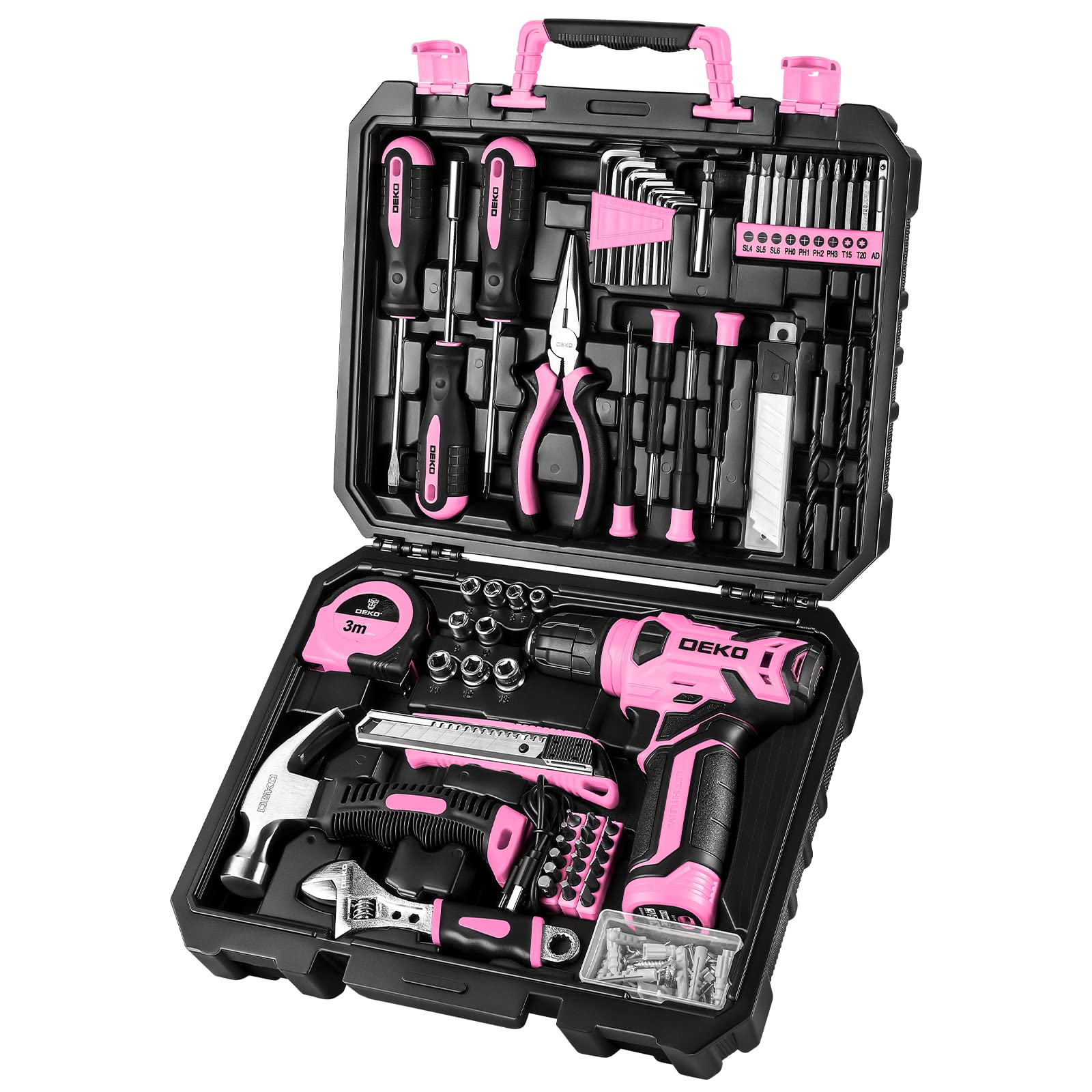
For most home tasks, the drill driver is the first tool to buy; add an impact driver for heavy fastening.
For a deeper, spec-by-spec shopping breakdown of specific kits, sizes, and battery platforms, see our best cordless drills and driver kits for 2026 roundup, which ranks the models referenced throughout this guide and explains which combos give you the most tool for the money.
The Bottom Line
The drill driver versus impact driver question has a clean answer once you understand the mechanics. The drill driver spins smoothly, has a clutch, takes any bit, and is your tool for drilling and controlled driving. The impact driver adds rotational hammer blows for enormous torque, lives on a 1/4-inch hex collet, has no clutch, and is your tool for long screws, lag bolts, and high-volume fastening.
Use the drill driver for holes, delicate fasteners, and anything where finish matters. Use the impact driver for muscle. Don't mistake either for a hammer drill, which exists for masonry. And if you're starting from zero, buy the drill driver first — then add the impact driver the day you find yourself fighting a deck screw. Most serious projects, in the end, want both in the bag.
Related Posts