How to Choose a MagSafe Wireless Charger: A Buyer's Checklist
 Abdulwahab Suleiman·June 16, 2026
Start Here: What "MagSafe" Actually Means When You're Shopping
Walk into the wireless-charging aisle and you'll see "MagSafe" stamped on dozens of pucks, stands, and battery packs. Most of them aren't made by Apple. That single word covers two different things, and knowing which one you're holding is the first real decision in choosing a MagSafe wireless charger.
The genuine article is Apple's MagSafe, the magnetic charging system Apple introduced with the iPhone 12. It's a proprietary Apple technology with its own accessory-certification program (Apple Support). Almost everything else on the shelf is MagSafe-compatible — a charger built around the open Qi2 standard, which the Wireless Power Consortium (WPC) released in 2023. Qi2's core is the Magnetic Power Profile (MPP), a ring of magnets that snaps your phone into perfect alignment, and the WPC has said openly that the profile was developed "with insights from Apple's MagSafe" (Wireless Power Consortium).
For practical shopping, the takeaway is simple: a Qi2-certified charger gives you the same magnetic snap and the same wireless speed as Apple's own puck, on iPhone and Android, usually for less money. We dig into the exact MagSafe-versus-Qi2 distinction in our companion explainer, but you don't need a physics degree to buy well — you need a checklist. This guide is that checklist.
A quick note on how we put this together. We don't bench-test chargers in a lab, so we don't pretend to. Everything below is built from manufacturers' published specifications, the official Apple and WPC documentation, and reputable third-party measurements, all linked inline so you can verify any number yourself. That transparency is the whole point: you should be able to trace every claim back to its source.
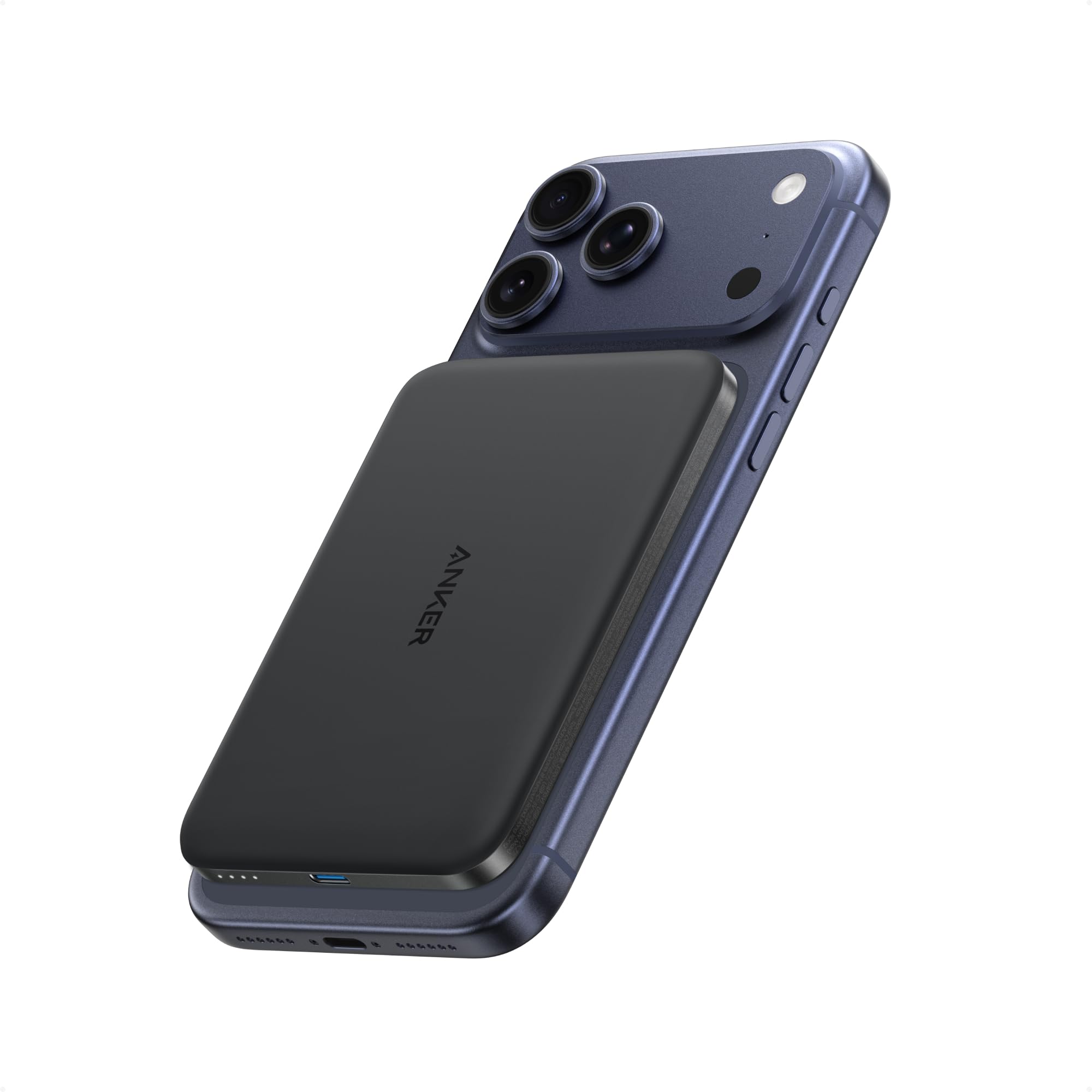
A Qi2-certified magnetic charger snaps to the back of a compatible iPhone with no cable to fumble with.
The Six Things That Actually Decide a Good MagSafe Charger
Forget the marketing. When you strip a magnetic charger down to what changes your daily experience, six factors do the heavy lifting: wattage, the Qi2 certification, the form factor, case compatibility, the magnet itself, and — for battery packs — capacity. Get those right and the rest is preference.
1. Wattage: 15W, 22.5W, or 25W — and Why It's Not Just a Number
Wattage is the spec people fixate on, and it's genuinely important, but it behaves differently than wired charging. Here's the current landscape straight from Apple's own support page, which lists peak MagSafe power by iPhone model (Apple Support):
- 25W peak: iPhone 17 Pro, 17 Pro Max, 17, 16 Plus, and 16 Pro Max
- 22.5W peak: iPhone 16 and 16 Pro
- 20W peak: iPhone Air
- 15W peak: iPhone 17e, iPhone 15 and earlier
- 12W peak: iPhone 13 mini and 12 mini
Two things jump out. First, the headline "25W" only applies to recent flagships; an iPhone 14 tops out at 15W no matter what charger you bolt to it. Second — and this trips up a lot of buyers — a high-wattage charger won't deliver high wattage without a strong enough wall adapter behind it.
This is the single most common mistake. To hit 25W charging, Apple specifies a 30W or greater power adapter rated at 15V/2.0A or higher. For 15W charging you need a 20W or greater USB-C adapter (9V/2.22A or higher). Plug a MagSafe charger into a weak 12W brick and it still works, but "this will result in slower charging," per Apple (Apple Support). So the charger is only half the purchase — budget for the right adapter too, or you've paid for speed you'll never see.
The jump from 15W to 25W is real but modest in everyday terms. Apple rates the 25W setup at up to a 50% charge in about 30 minutes when paired with a 30W+ adapter (Apple Support). Belkin, a WPC member that helped shepherd the higher-power spec, frames Qi2 25W the same way: meaningfully faster top-ups, not a wired-cable replacement (Belkin).
One more wattage subtlety worth internalizing: wireless wattage and wired wattage are not the same currency. A 25W wireless charge moves less energy into the battery, minute for minute, than a 25W cable would, because some of that power is always lost crossing the air gap as heat. That's physics, not a defect — it's why no magnetic charger fully replaces a cable for a dead-battery emergency, and why "fast wireless" still trails "fast wired." Set your expectations accordingly: a MagSafe charger is the convenient, snap-and-go option for topping up through the day and overnight, not the fastest possible way to refill from empty.
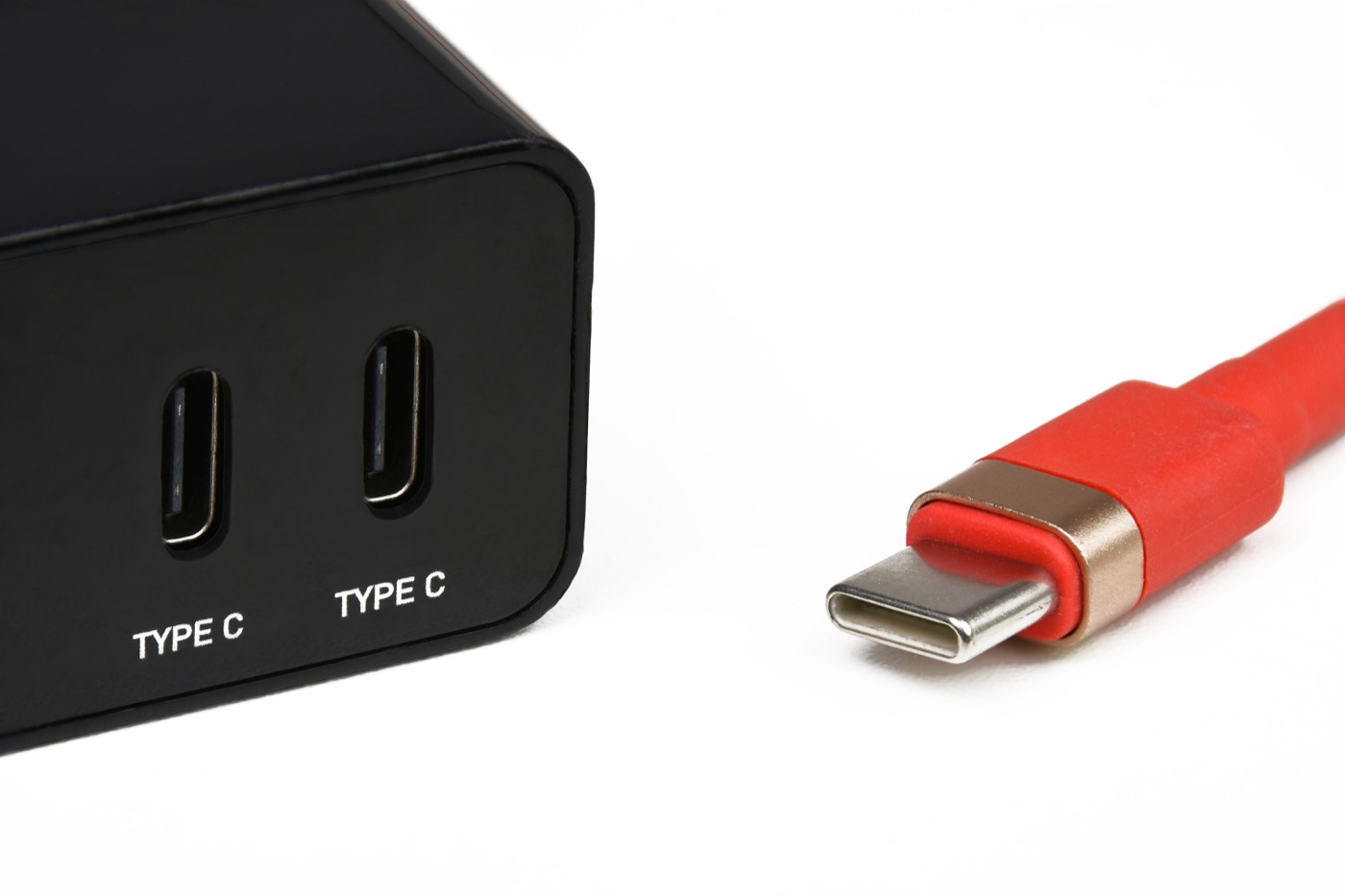
The wall adapter is half the purchase: 30W or higher for 25W charging, 20W or higher for 15W.
2. Qi2 Certification: The One Logo Worth Hunting For
If you remember nothing else, remember this: buy Qi2-certified. The little "Qi2" badge isn't decoration — it certifies that the charger implements the Magnetic Power Profile correctly, with magnets of the right strength placed precisely around the coil so your phone aligns every time.
Why does alignment matter so much? Wireless charging is finicky about coil position. Even a millimeter or two of offset forces the charger to work harder and dump the wasted energy out as heat, which throttles speed — and in a bad enough misalignment, charging speed can fall sharply. That sensitivity to position is exactly why the Wireless Power Consortium built fixed magnets into the standard in the first place (Wireless Power Consortium). The magnets in a Qi2 charger exist specifically to eliminate that guesswork — snap, aligned, done.
Qi2 is also what makes a charger genuinely cross-platform. Because it's an open WPC standard rather than an Apple program, the same Qi2-certified puck works with iPhones from the 12 series onward and with Qi2-capable Android phones like the Samsung Galaxy S25 and Google Pixel 10 (Belkin). An uncertified "magnetic wireless charger" might have weak magnets, slow charging, or sloppy alignment, and you have no standards body holding it accountable. The certification is your guarantee.
There's a versioning wrinkle worth knowing so the badges don't confuse you. The original Qi2 profile tops out at 15W; the higher 25W tier arrived as an extension that some brands label Qi2 25W or Qi2.2. The good news is they're backward-compatible — a 25W-rated charger will happily power an older 15W-only device at 15W, and a 15W charger won't damage a newer phone, it just won't reach the higher ceiling (Belkin). So when you see "Qi2 25W" on a box, read it as "Qi2, and capable of the faster tier if your phone and adapter support it." If your phone caps at 15W anyway, the plain Qi2 badge is all you need, and you can pocket the difference.
3. Form Factor: Puck, Stand, Multi-Device, or Power Bank
A "MagSafe charger" can take four very different shapes, and the right one depends entirely on where and how you charge.
- The puck is the bare magnetic disc on a cable, like Apple's own MagSafe Charger. Cheapest, most portable, throw-it-in-a-bag simple. You lay the phone flat or prop it against something.
- The stand holds your phone upright at a viewing angle. This is the sweet spot for a nightstand or desk because it plays nicely with iPhone's StandBy mode (the always-on clock/widget screen that activates when the phone charges on its side).
- The multi-device station charges phone, watch, and earbuds together — usually a folding 3-in-1 design that tidies a whole nightstand into one footprint. Our review of one such 3-in-1 station walks through the trade-offs of that category.
- The portable power bank is a magnetic battery that snaps to the back of your phone and tops it up on the move, with no cable tethering you to a wall.
There's no "best" shape; there's the shape that fits your life. A frequent traveler wants the slim power bank; a desk worker wants the stand.
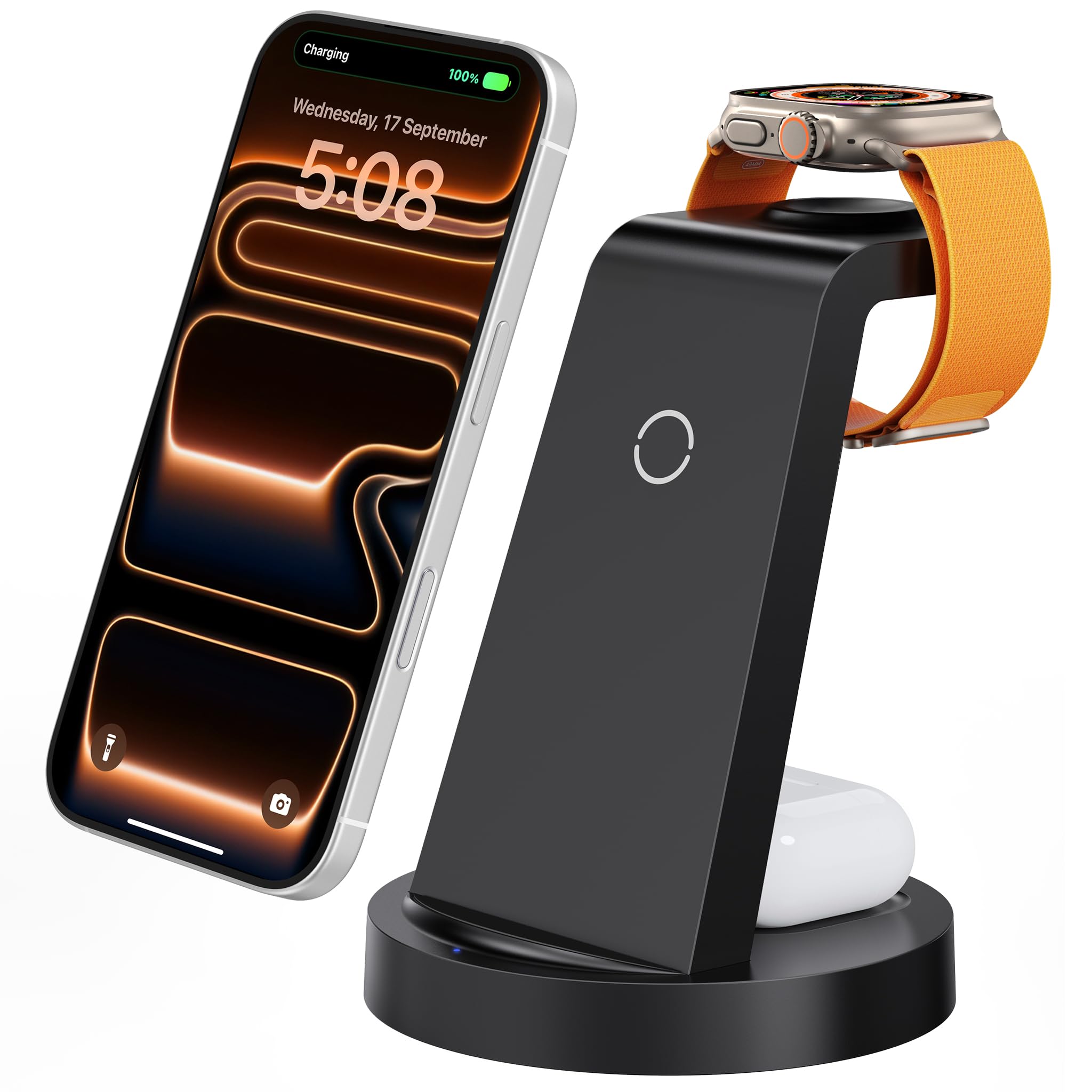
A multi-device station consolidates phone, watch, and earbuds onto one magnetic dock — handy for a cluttered nightstand.
4. Case Compatibility: The Thickness Trap
Here's a detail nobody mentions until their charger keeps sliding off: your case matters, a lot. Magnetic force obeys the inverse-square law, so it weakens fast as the gap between magnet and phone grows. Every extra millimeter of case material between your phone's magnet ring and the charger drags down both grip strength and charging efficiency.
The rough rule the accessory industry has converged on: keep the material over the magnet array under about 2mm. Slim cases in the 1.5–2mm range hold nearly full magnetic pull, while cases past roughly 2.5–3.5mm still attach but start to struggle with heavier accessories, and anything over 4mm can compromise MagSafe meaningfully (gdwecent). Anker echoes this on the product side, advising against cases thicker than 2.5mm for its magnetic chargers (Anker).
Two buying implications follow. If you run a thick rugged case, prioritize a charger known for strong magnets. And if you want to charge through your case at all, make sure it's an actual MagSafe/Qi2 case with a real magnet ring built in — a plain case with no magnets blocks alignment entirely, even if the charger can technically push power through it.
5. Magnet Strength and Heat: The Quiet Quality Tell
Magnet strength rarely makes the spec sheet in newton numbers, but it's a reliable proxy for how well-engineered a charger is. Strong, correctly-placed magnets do two jobs: they hold the phone securely (important for a power bank you'll carry in a pocket) and they keep the coils aligned so the charge runs cool and efficient.
Heat is the thing to watch, because heat is where wireless charging quietly loses. Poor alignment makes the charger convert excess energy into warmth instead of battery, slowing everything down. The better magnetic chargers fight this with thermal design — Anker, for instance, publishes that its Nano power bank stays below 40°C using graphene and dual temperature sensors, which it claims is about 14°C cooler than the industry baseline (Anker). You can't measure magnet strength in the store, but a charger that openly documents its thermal management is usually telling you it took the engineering seriously.
It's worth knowing your phone protects itself here too. Apple notes that when battery temperature climbs, "software might limit charging above 80 percent," and that charging drops to 10W or lower when certain accessories are plugged in (Apple Support). So if a charge feels slow on a hot day, that's often the phone, not a bad charger.
6. Capacity (For Power Banks): Matching mAh to Your Day
If you're buying a portable MagSafe battery rather than a desk charger, capacity becomes the deciding spec. It's measured in milliamp-hours (mAh), and more isn't automatically better — more capacity means more bulk and weight, which fights the whole point of a snap-on pack.
A useful frame: a slim 5,000mAh magnetic bank is a "get me through the afternoon" topper, not a full recharge. Anker's 5,000mAh Nano, for example, is rated to bring an iPhone 16 Pro to 25% in about 42 minutes and is built thin (around 0.3 inch, 4.3 oz) specifically to stay pocketable (Anker). Step up to 10,000mAh and you get closer to a full charge, at the cost of noticeable thickness. Match the number to your actual gap: commuters and light users are well served by 5,000mAh; all-day-away travelers should look at 10,000mAh and accept the heft.
Two further capacity realities keep buyers honest. First, the printed mAh is the cell rating, not what reaches your phone — wireless transfer losses mean a 5,000mAh pack delivers meaningfully less than 5,000mAh of usable charge to the battery, so don't expect a "100% phone refill" from a pack that merely matches your phone's battery size on paper. Second, look for a USB-C port on the bank itself. The best magnetic packs charge wirelessly off the back of your phone and offer a wired USB-C output (often faster, around 20W) plus a USB-C input to refill the bank — the Nano carries exactly that 20W USB-C path (Anker). That single port turns a one-trick magnetic pack into a flexible charger you can also cable to a non-magnetic device in a pinch. Capacity tells you how much; the port tells you how flexibly you can spend it.
How to Match a Charger to Your Phone and Platform
The same six factors apply to everyone, but the right answer shifts depending on what's in your pocket. Here's how the buying advice changes across the most-searched scenarios.
Choosing for Apple: iPhone 12 Through iPhone 17
Every iPhone from the 12 series onward has the built-in magnets for MagSafe, so any of them works with a magnetic charger out of the box — no special case required (Apple Support). Your job is to match wattage to your model (see the list above) and not overpay for speed your phone can't use.
If you own a recent flagship that supports 25W (iPhone 16 Pro Max, 17, 17 Pro), it's worth buying a 25W-capable Qi2 charger and a 30W+ adapter to unlock it. If you own an iPhone 14 or 15, a 15W Qi2 charger is the right ceiling — paying for a 25W puck buys you nothing your phone will accept. Apple's own 25W MagSafe Charger (models A2580/A3250, distinguishable by their braided cable) is the reference option, but Qi2-certified third-party chargers hit the same numbers for less (Apple Support).
For nightstands, lean toward a stand so StandBy mode can do its thing. For travel, a slim Qi2 power bank like the [Anker Nano MagSafe portable charger](https://zuqqis.com/reviews/anker-nano-magsafe-portable-charger-review) is the canonical pick — it's the clearest example of a charger that gets all six factors right in a pocketable shape, which is why we singled it out for a full review.
Choosing for Samsung and Android
This is where Qi2 quietly changed the game. For years, magnetic charging was an Apple-only party because Samsung, Google, and others lacked built-in magnets. Qi2 made the Magnetic Power Profile an open standard, so a Qi2-certified charger now works across Samsung Galaxy, Google Pixel, OnePlus, and other Qi2 phones, not just iPhones (Belkin).
The catch: it depends on whether your specific Android phone has the magnets built in. Newer flagships like the Galaxy S25 and Pixel 10 are arriving Qi2-ready (Belkin). Older or mid-range Android phones often don't have internal magnets — for those, you snap on a Qi2/MagSafe magnetic case or ring to add the alignment magnets, then any Qi2 charger latches on. So the Android buying rule is two steps: confirm Qi2 support (built-in or via a magnetic case), then buy any Qi2-certified charger and enjoy the same magnetic experience iPhone owners get.
"MagSafe-Compatible" vs Apple MagSafe: Don't Overpay for the Logo
Because Apple's MagSafe is a closed certification program and Qi2 is open, you'll pay a premium for the Apple-branded puck and the "Made for MagSafe" badge. For most buyers that premium isn't necessary. A reputable Qi2-certified charger delivers the same magnetic alignment and the same up-to-25W speed across both ecosystems (Belkin). Apple's own accessory is excellent and a safe default, but "MagSafe-compatible + Qi2-certified" from a trusted brand is the value play, and it's the smarter choice if you have any Android device in the household.
A Quick Pre-Purchase Checklist
Before you click buy, run down this short list. If a charger and your setup clear all six, you've chosen well.
- Is it Qi2-certified? Look for the badge. This is non-negotiable for alignment, speed, and cross-platform support.
- Does the wattage match your phone? Don't pay for 25W on a phone that caps at 15W; don't cap yourself at 15W on a 25W flagship.
- Do you have the right wall adapter? 30W+ for 25W charging, 20W+ for 15W. The charger alone can't hit its rating.
- Is the form factor right for where you'll use it? Stand for the nightstand, puck for simplicity, multi-device for a tidy desk, power bank for travel.
- Will it work through your case? Keep case material under ~2mm over the magnets, or use a proper magnetic case.
- For power banks, is the capacity matched to your day? 5,000mAh for top-ups, 10,000mAh for near-full recharges.
For the specific models we'd actually recommend after applying this checklist, see our roundup of the [best MagSafe wireless phone chargers for 2026](https://zuqqis.com/guides/best-magsafe-wireless-phone-chargers-2026), where we rank picks for nightstands, travel, and multi-device setups.
The Bottom Line
Choosing a MagSafe wireless charger comes down to one foundational decision and a handful of fit checks. The foundation: buy Qi2-certified, because that single standard guarantees the magnetic alignment, the up-to-25W ceiling, and the cross-platform compatibility that make magnetic charging worth having. After that, you're just matching the charger to your phone's wattage, your wall adapter, your case, and the spot where you'll actually use it.
Spend five minutes confirming those six factors and you'll skip the two traps that catch most buyers — paying for speed your phone or adapter can't deliver, and grabbing an uncertified "magnetic charger" that aligns poorly and runs hot. Match the spec to your real-world use, not the biggest number on the box, and a $30 Qi2 puck will serve you as well as anything Apple sells.
Related Posts