How to Choose a Minimalist RFID Wallet: A Practical Buyer's Guide
 Abdulwahab Suleiman·June 16, 2026
A minimalist RFID wallet should do two jobs without making a fuss about either: carry the four or five cards you actually use, and keep a metallic layer between your contactless cards and a stranger's scanner. The trouble is that almost every listing online promises both, the marketing language blurs together, and it gets genuinely hard to tell a well-built wallet from a slim piece of plastic with the letters "RFID" stamped on the box.
This guide walks through how to choose one without overpaying for a feature you may not need, or underpaying for build quality you'll regret. We'll cover how the blocking actually works, whether you even need it, how to read capacity and material claims honestly, and the smaller decisions (money clip versus pop-up mechanism, AirTag slot, front-pocket fit) that decide whether a wallet earns a permanent place in your pocket or ends up in a drawer.
A quick note on how we evaluated this
Zuqqis does research-based buying advice. We did not physically lab-test the wallets or RFID readers referenced here, and we don't pretend to. Instead, this guide synthesizes manufacturer specifications, the physics of RF shielding as documented by reputable sources, and consumer-protection guidance on contactless-card fraud. Where a specific spec matters, it's linked to a primary source so you can verify it yourself. That transparency is the point: you should be able to check our reasoning, not just take it on faith.
How an RFID-blocking wallet actually works
RFID blocking is older and simpler than the marketing suggests. A contactless credit card contains a tiny chip and a coiled antenna. When a reader gets close, it broadcasts a radio signal that induces a small current in that antenna, which powers the chip just long enough to answer back. There's no battery in the card. The reader's signal is the power source.
An RFID-blocking wallet interrupts that exchange by wrapping your cards in a conductive layer, usually a thin sheet of aluminum, copper, or a metal-infused fabric. That layer behaves like a Faraday cage: incoming radio waves get redirected along the metal surface instead of passing through to the card. Without the reader's energy reaching the antenna, the chip never wakes up, and no data is exchanged.
The frequency that matters here is 13.56 MHz, the band used by virtually all modern contactless credit and debit cards. As one technical breakdown notes, effective wallets block that 13.56 MHz frequency, while a few premium options also block the 125 kHz band used by some older ID badges and building-access cards (Bull Guard). If your only concern is payment cards, 13.56 MHz coverage is what you're checking for.
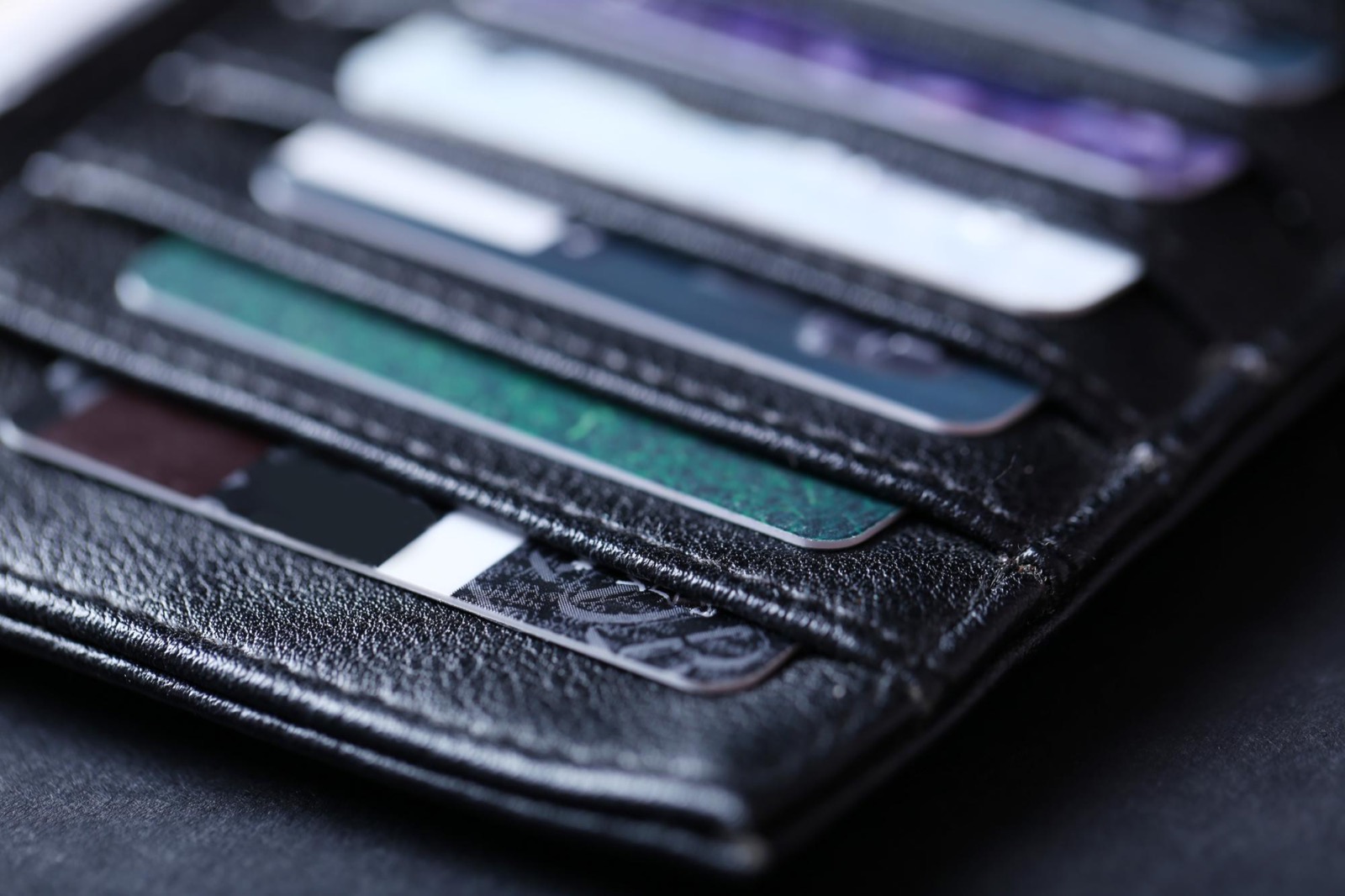
A conductive shell redirects a reader's 13.56 MHz signal before it can reach the cards inside.
There's an important nuance buyers miss: a solid metal wallet is not automatically an RFID wallet, and a leather wallet is not automatically unshielded. A full aluminum or titanium case naturally shields the cards housed inside its body, which is why so many metal card holders advertise blocking almost as a side effect. A leather wallet, by contrast, only blocks if the maker laminated a conductive layer into the lining. The takeaway: confirm the shielding mechanism, don't infer it from the material.
What RFID blocking does not do
Two myths are worth retiring up front. First, an RFID-blocking layer does not demagnetize the magnetic stripe on the back of your cards. Magnetic stripes and RFID chips are different technologies; a stripe needs direct contact with a strong magnet (on the order of thousands of gauss) to scramble, and that essentially never happens from a wallet's shielding layer (The Wallet Shoppe). Second, RFID blocking has nothing to do with your phone. Apple Pay and Google Pay run from a phone you take out of the wallet, so the shield is irrelevant to them.
If you want a deeper, evidence-based look at whether the shielding is even worth caring about, we covered the efficacy question separately in do RFID-blocking wallets actually work. For the purposes of choosing a wallet, the rest of this guide assumes you've decided the feature is at least nice to have.
Do you actually need RFID blocking?
Here's the uncomfortable truth most product pages won't tell you: real-world RFID skimming that causes financial loss is extremely rare. Documented cases of criminals wirelessly stealing money from contactless cards in the wild are close to nonexistent, and consumer-protection guidance reflects that. The FTC and others acknowledge a theoretical vulnerability while noting the absence of real fraud cases, and AARP's consumer reporting reaches the same conclusion about how seldom it actually happens (AARP).
The reason comes down to how modern cards work. Contactless EMV cards use tokenization: instead of transmitting your real card number, CVV, and expiry, the chip generates a unique, single-use cryptographic token for each tap. A skimmer that captures that token gets a string that's typically useless, because it's designed to expire almost immediately and can't be replayed (rfidcard.com). On top of that, a thief would need to buy reading hardware, press within inches of you in a crowd, and then convert near-worthless data into a usable charge. Criminals overwhelmingly prefer traditional skimmers and large database breaches because they're far more lucrative and far less risky.
So how should this shape your purchase? A pragmatic way to think about it:
- Don't pay a large premium for RFID blocking alone. If two otherwise-identical wallets differ only in price because one shouts "RFID," the shouting isn't worth much.
- Treat blocking as a near-free bonus. Most metal minimalist wallets shield cards as a byproduct of their construction, so you often get it without paying extra. That's the sweet spot.
- It's still reasonable to want it. Peace of mind is a legitimate reason to buy something, and a wallet you'll carry daily is a low-stakes place to indulge it. Just don't let "RFID blocking" be the only reason you pick one wallet over another.
In short: choose primarily on capacity, build, and fit, and let blocking be the tiebreaker rather than the headline.
RFID wallets that actually work: how to verify the claim
Because the label is cheap to print and the testing is rarely shown, "RFID blocking" on a listing is a claim, not proof. A few signals separate wallets that genuinely shield from ones that merely say so.
Look for a named material and mechanism. A credible listing tells you how it blocks: an aluminum body, a copper or steel-mesh lining, or a metal-infused fabric layer. Vague "advanced RFID technology" with no material named is a yellow flag.
Prefer a fully enclosed metal body for payment cards. If the cards sit inside an aluminum or titanium shell, the shielding is structural and hard to get wrong. Fabric or leather wallets can block well, but they depend entirely on the maker actually laminating a conductive layer in, which you can't see.
Sanity-check the frequency. Coverage of 13.56 MHz handles credit and debit cards. If you also carry an older 125 kHz building-access fob, you'll want a wallet that explicitly lists that band too, since not all do (Bull Guard).
Run your own free test after it arrives. This is the most reassuring step and it costs nothing. Put your phone in the wallet and try to read an NFC tag, or place a contactless transit card inside and tap it at a reader. Independent testing has confirmed that properly designed RFID wallets completely block signals from reaching enclosed cards (Six Storeys), so a well-made one should noticeably fail to read through the shielding. If a card reads right through the closed wallet, the blocking isn't real.
One more point on trust: ignore "FCC certified RFID blocking" style badges. The FCC doesn't certify wallets for blocking, so that phrasing is decorative. Judge the construction, then verify with the at-home test.
Capacity and form factor: matching the wallet to your carry
This is where most buyers go wrong, and it has nothing to do with RFID. A minimalist wallet only stays minimalist if it fits your actual cards and cash. Buy one rated for four cards when you carry eight, and you've bought a frustration.
How many cards do you really carry?
Count the cards you use in a normal week, not the ones you could carry. Most minimalist wallets are built for roughly 4 to 10 cards, with higher-capacity slim designs stretching to 12 or more (The Beloved Dog). A useful rule: pick a wallet rated one or two cards above your honest count, so it isn't straining at the seams (which thickens the profile and defeats the purpose) but also isn't so loose that single cards rattle around.
Higher-capacity slim wallets exist precisely for people who refuse to cut down. The ZALVEX minimalist RFID wallet, for example, is built around a 9-to-13 card range, which suits someone consolidating from a bulky bifold rather than someone carrying the bare two-card minimum.
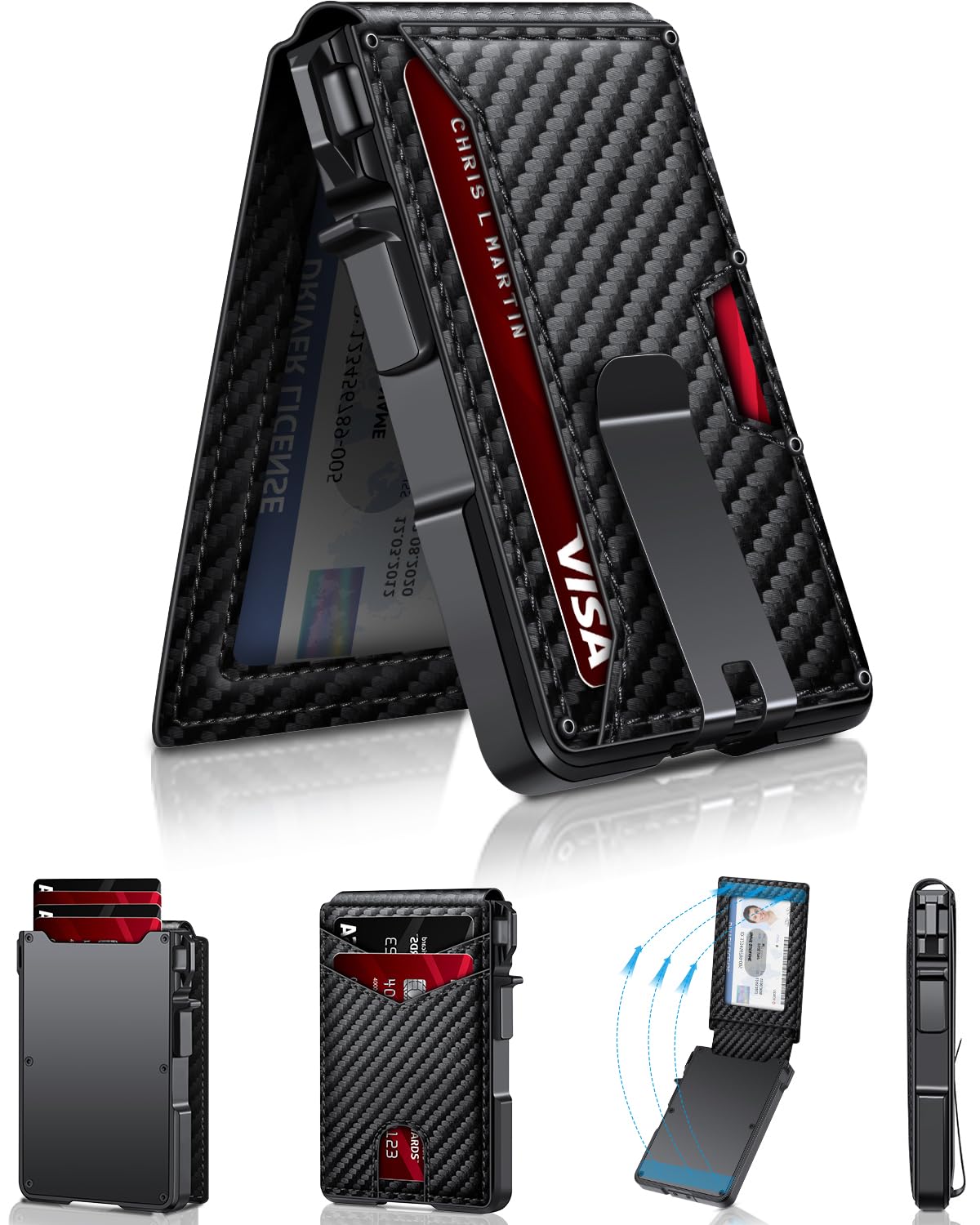
A higher-capacity slim wallet (9-13 cards) suits people consolidating from a bulky bifold rather than the bare two-card minimum.
Cash: money clip, band, or nothing
If you still carry bills, decide how before you buy:
- Integrated money clip. The most common solution on metal minimalist wallets. It's secure and keeps everything in one object. Note one quirk: makers often advise not clipping more than about five bills for the magnet or clip tension to hold well (The Beloved Dog), so a clip suits a few notes, not a fold of twenty.
- Elastic band. Lighter and more forgiving on bill count, but bands stretch and eventually need replacing.
- No cash provision. Increasingly viable. If you tap to pay for nearly everything, a cash-free card holder is the thinnest option of all.
Pop-up mechanism versus simple slots
Many aluminum minimalist wallets use a pop-up or fan-out mechanism: press a lever or thumb-slide and the cards stagger out like a hand of playing cards for quick selection. It's genuinely convenient and looks slick. The trade-offs are honest ones: the mechanism adds a little thickness, and it usually limits you to the wallet's rated card count, since the cards have to sit in fixed channels. Simple slot or sleeve designs are thinner and more flexible on count, but slower to pull a specific card. Neither is "better"; it's a preference between speed and slimness.
Material: aluminum, leather, or carbon fiber
Material drives durability, weight, look, and (as covered above) whether shielding comes built in. The three common choices each have a clear personality.
Aluminum and titanium
Metal wallets are the natural home of the minimalist RFID category. Aluminum is light, very durable, slim, and shields cards inside its body as a byproduct of construction (WALLETERAS). Titanium pushes durability and price up further. Metal wallets resist water, won't fray, and keep their shape for years. The downsides: they can feel cold and clinical, a dropped metal wallet can scuff or ding, and edges occasionally need a bit of finishing to avoid scraping a card's printed face over time. For most people who want "slim, tough, blocks RFID, done," aluminum is the default answer.
Leather
Full-grain or top-grain leather looks and ages better than anything metal, develops a patina, and feels warmer in the hand. It's also slightly thicker and, crucially, only blocks RFID if the maker laminated a shielding layer into the lining. If you love leather, don't assume blocking; confirm it's specified. Leather also asks for a little care and doesn't love getting soaked. For someone who values how a wallet looks and feels over raw slimness, a shielded leather card holder is a fair trade.
Carbon fiber and composites
Carbon fiber sits between the two: lighter than aluminum, distinctive looking, strong, and often paired with a metal layer that handles the actual blocking. It tends to carry a price premium for the aesthetic. It's a niche-but-valid pick if you want something that reads as high-tech without going full metal slab.
A blunt summary: choose aluminum/titanium for maximum slimness and built-in shielding, leather for looks and feel (and verify the lining), carbon fiber if the aesthetic is worth the premium.
AirTag and tracking: a real selection criterion
Losing a wallet is a far more common and expensive event than getting skimmed, which is why an AirTag-compatible slot has quietly become one of the most useful features in this category, and a legitimate reason to choose one wallet over another.
If you're inside Apple's ecosystem, an AirTag turns "I lost my wallet" into "I can find my wallet." It's worth understanding how the finding works so your expectations match reality:
- Up close, an AirTag uses Ultra-Wideband for Precision Finding, guiding you with an on-screen arrow and distance. On older AirTags this works to roughly 15 meters (about 50 feet); Apple's newer model, introduced in early 2026, extends usable Precision Finding to as much as ~60 meters and made the speaker noticeably louder (Apple Newsroom).
- Farther away, finding shifts to Bluetooth (good for roughly 30 feet) and then to the crowdsourced Find My network, where any nearby Apple device can anonymously relay your wallet's location. That's what helps when the wallet is lost across town rather than under the couch (Carry Peace).
When evaluating an AirTag wallet, check two things. First, that the slot is dedicated and snug: the AirTag is about 0.32 inches thick per Apple's tech specs, and a good design holds it firmly without ballooning the wallet's profile. Second, remember the AirTag is almost never included; you buy it separately, so factor in that cost.
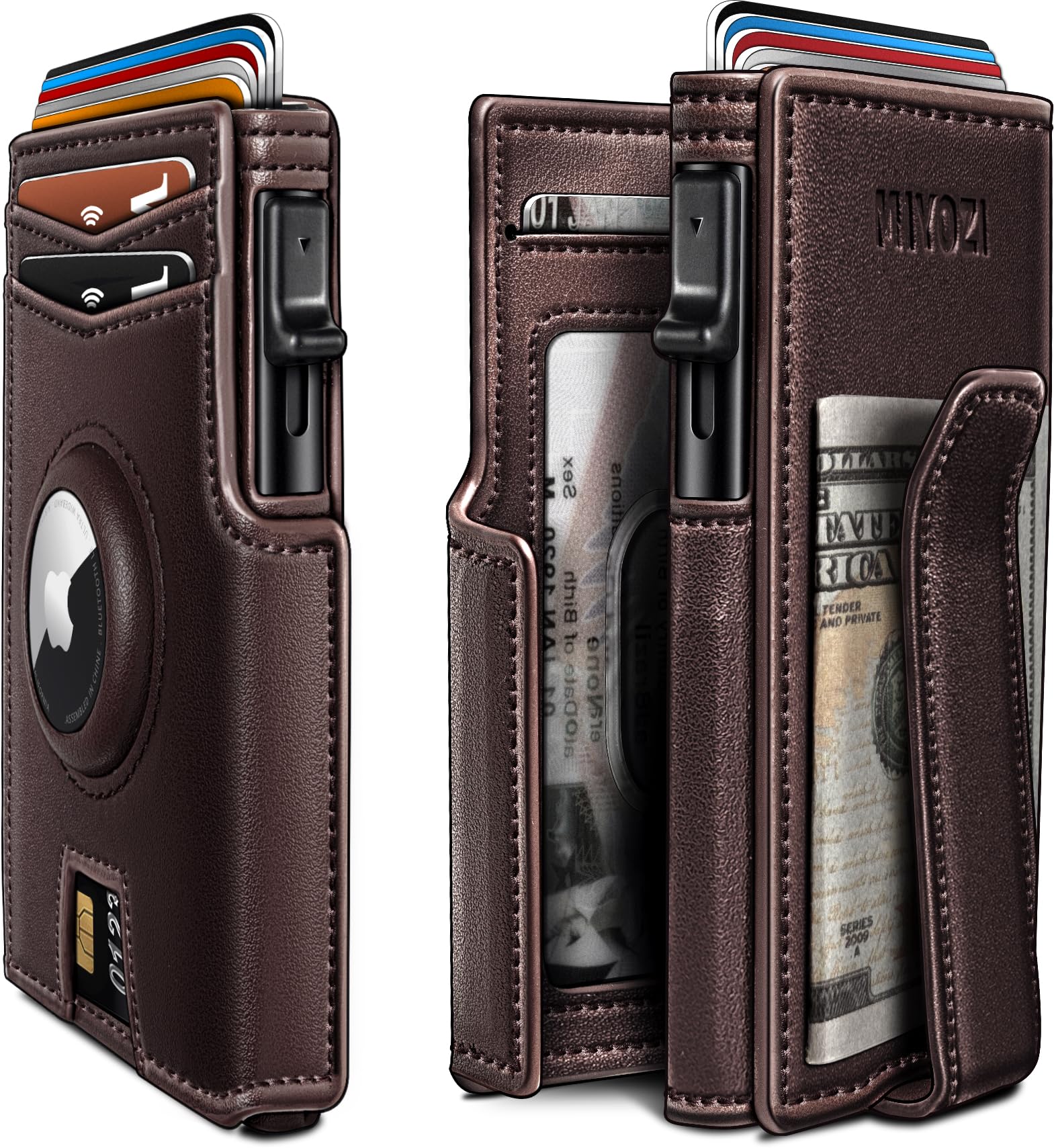
A dedicated AirTag slot turns a lost wallet from a crisis into a quick Find My search.
The miyozi AirTag RFID wallet is a representative example of this combination: a metal pop-up card holder with a money clip and a purpose-built AirTag pocket. We reviewed it in depth, but the general lesson applies to any wallet in the segment: a built-in tracker slot is one of the few features that meaningfully changes outcomes when something goes wrong.
Best RFID wallet for travel: what changes on the road
Travel raises the stakes a little, less because of skimming and more because of everything else that can go sideways with a wallet far from home. A few criteria move up the priority list.
Durability and water resistance. A trip is exactly when a wallet gets dropped, sat on, and rained on. This is where a metal body earns its keep over leather.
A passport or extra-card consideration. If you're carrying an ID badge or access card that runs on the older 125 kHz band, this is the scenario where dual-frequency blocking (13.56 MHz and 125 kHz) is worth seeking out, since travel mixes payment cards with hotel keys and transit cards (Bull Guard).
Tracking matters more. A wallet lost in an unfamiliar city is harder to recover, so the AirTag slot discussed above is more valuable on the road than at home.
Slim front-pocket carry. Pickpocketing is a more realistic travel threat than wireless skimming, and a slim wallet that rides in a front pocket is simply harder to lift than a fat bifold in a back pocket.
None of this requires a separate "travel wallet"; it's mostly about weighting the same criteria differently. A durable metal minimalist wallet with a tracker slot covers the travel case and the everyday case at once.
Best RFID wallet for men: fit, pocket, and everyday reality
Most minimalist wallets in this segment are marketed toward men, and the practical advice is less about gender than about how the wallet is carried. The defining feature of a good minimalist wallet is that it rides comfortably in a front pocket, where it's both more secure and better for your posture than a back-pocket brick.
That front-pocket goal sets a few priorities. Keep the overall thickness down, which argues for an honest card count rather than cramming. Favor rounded or finished edges so it doesn't catch on the pocket. And weigh the money solution against your habits: a man who taps to pay for everything may not need a clip at all, while someone who still tips in cash will want one.
For someone consolidating from a traditional bifold, the move is to count the cards that genuinely earn a spot, pick a slim wallet rated just above that number, decide on cash, and treat RFID blocking as the freebie it usually is. If a built-in tracker fits the budget, it's the upgrade most likely to pay off the day something goes wrong.
Putting it together: a buyer's checklist
If you want the whole guide compressed into a decision you can make in two minutes, run down this list:
- Card count. Count the cards you actually use, then pick a wallet rated one or two above that.
- Cash. Money clip (few bills), elastic band (more bills), or cash-free (thinnest).
- Material. Aluminum/titanium for slim, tough, built-in shielding; leather for looks (verify the lining blocks); carbon fiber if the aesthetic is worth the premium.
- RFID. Confirm a named shielding material and 13.56 MHz coverage; add 125 kHz only if you carry an old access fob. Don't overpay for the label, and run the free at-home test when it arrives.
- Tracking. If you're in Apple's ecosystem, a snug, dedicated AirTag slot is the feature most likely to save you real money and hassle.
- Fit. It should disappear into a front pocket. If it doesn't, it's not minimalist; it's just smaller.
Get those six right and the RFID question takes care of itself, because almost any well-built metal minimalist wallet shields your cards as a matter of course. For a full shortlist of vetted options, see our roundup of the best men's minimalist RFID wallets, where we apply exactly these criteria to specific models.
The honest headline is this: buy the wallet that fits your cards, your cash habit, and your pocket, in a material you'll be happy to carry for years. Let RFID blocking be the easy bonus it almost always is, and spend your real decision-making on capacity, build, and whether a tracker slot is worth it to you. That's how you end up with a wallet you keep, instead of one more slim thing in a drawer.
Related Posts